
FAQs
- Claiming unclaimed amounts across the financial spectrum
- unclaimed assets in mutual funds english
- Unclaimed assets in mutual funds Hindi
- Payment Option with UPI ID & QR code
- Additional Purchase for BOIMF Existing User
- How to Redeem Funds?
- How to Switch Schemes?
- How to transact online with BOIMF?
- Is PAN - Aadhar seeding mandatory?
- Can a minor invest in the securities market?
- What is meant by OVD?
- What is KYC?
- After dementalization can Investor submit redemption/switch request?
- What is digital KYC?
- What is the process when a minor turns major?
- What Are Mutual Fund Cut-Off Timings? Know Before You Invest
- How to Apply for Transmission?
- What is the new rule on Applicable NAV?
- How to stop STP?
- Can the investor switch the SIP from one folio to another?
Additional Purchase for BOIMF Existing User
Login Using PAN Details:
Step 1: Click on the Existing User icon to log in with your PAN number or User ID and Password.
Step 2: Enter your PAN and click Submit.
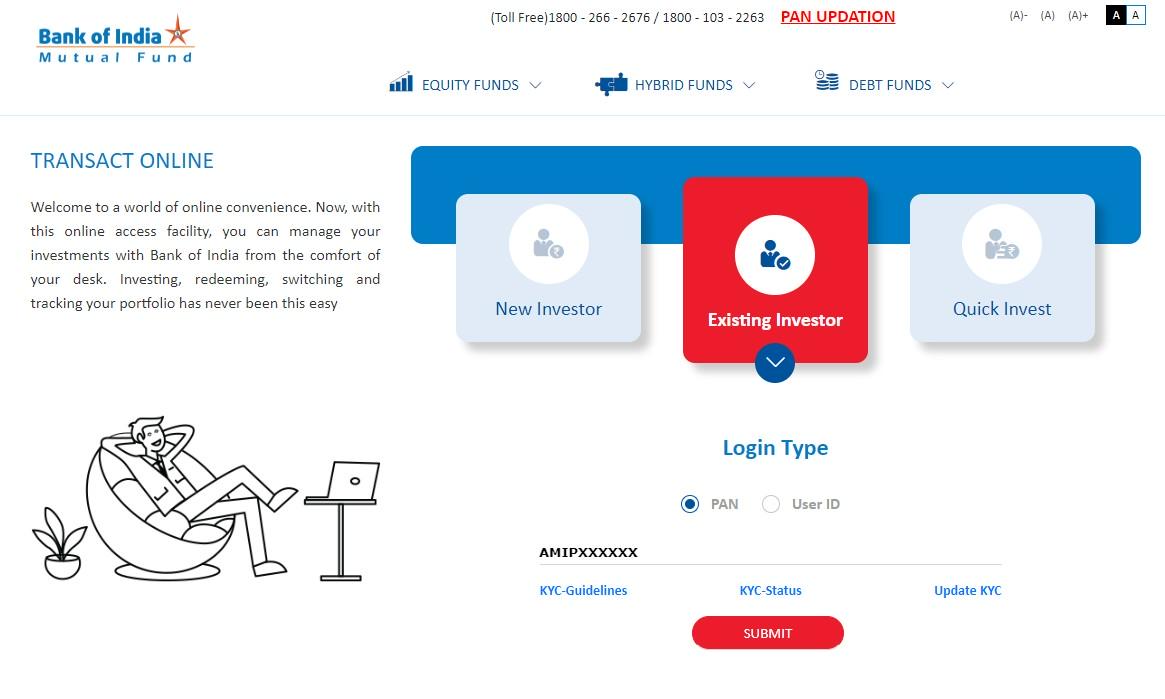
Step 3: On the OTP Verification pop-up, an OTP will be sent to your registered email and mobile number. Enter this OTP and click Submit to access the BOIMF Investor Dashboard.

Transacting After Login: You are now on BOIMF investor dashboard. You can proceed with transactions through two convenient options:
Option 1: Transact Icon in the Header:
Select the Transact icon in the header to view various transaction options:
- Additional Purchase: Add to your existing funds.
- SIP/SWP/STP: Manage Systematic Investment (SIP), Withdrawal (SWP), and Transfer Plans (STP).
- Switch: Transfer funds between schemes within the same fund family.
- Redemption: Withdraw or redeem your investment.
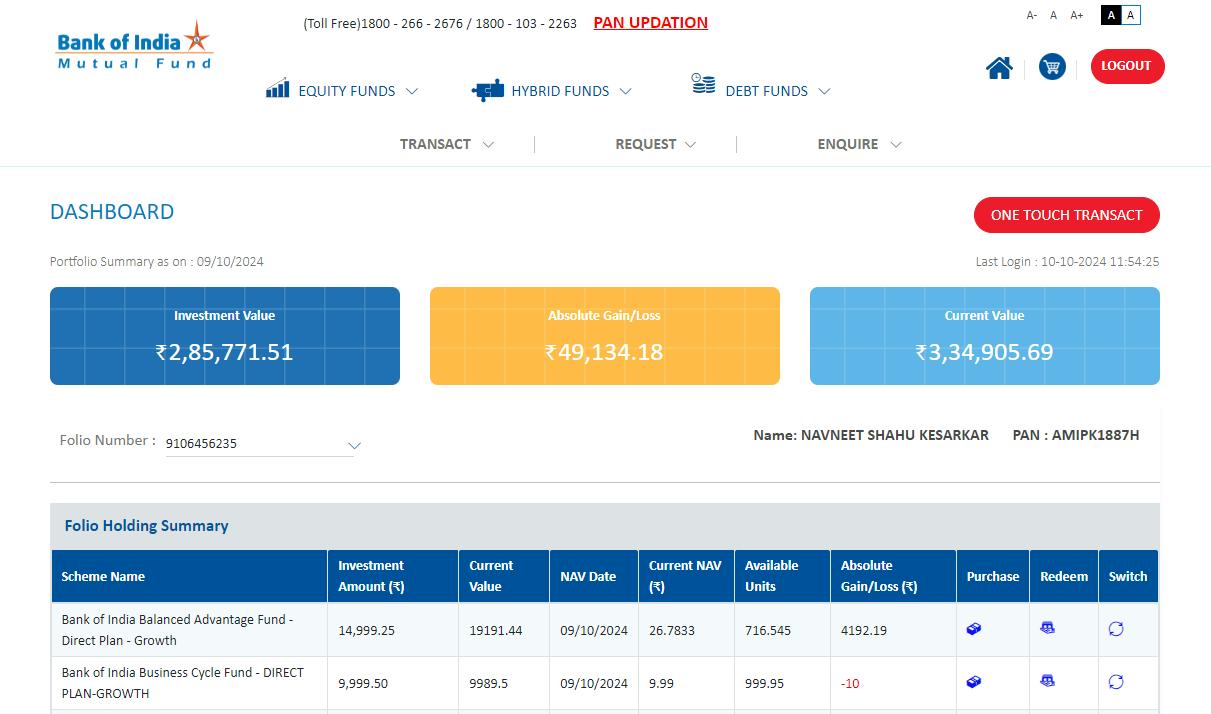
Option 2: One Touch Transact on the Dashboard:
Click the One Touch Transact button for quick access to the transaction menu.
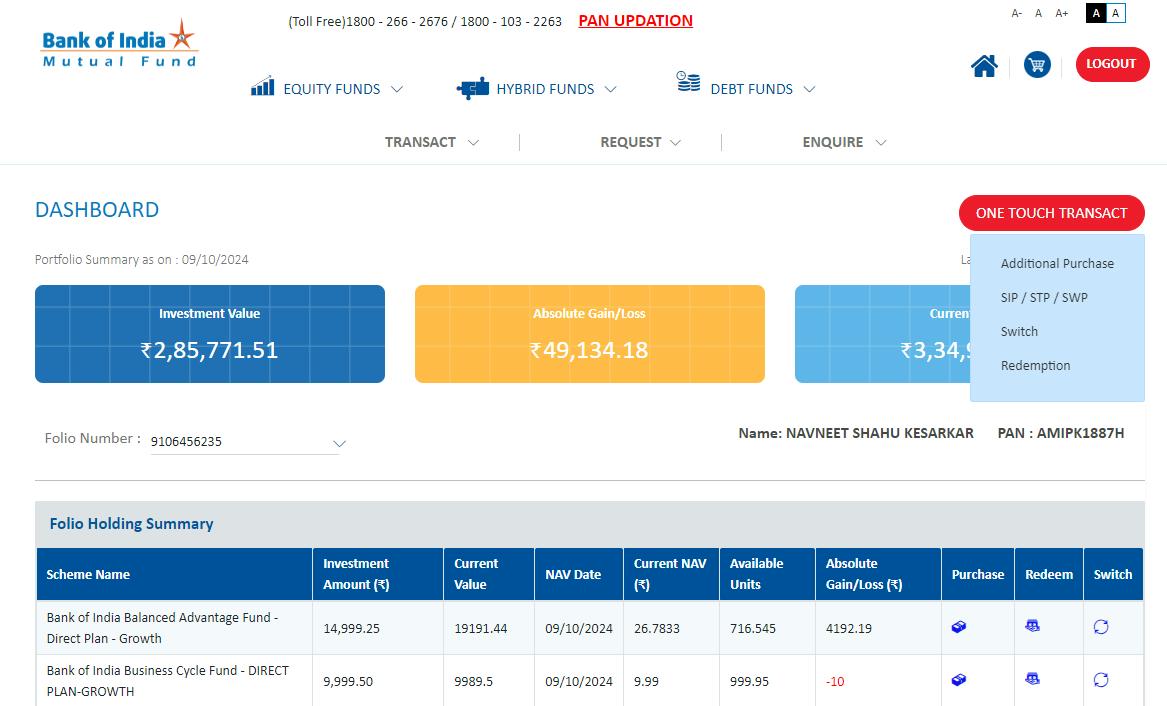
Option 2: One Touch Transact on the Dashboard:
3. Performing a Switch Transaction
To switch your investment from one scheme to another, follow these steps:
Step 1: Select Switch from the transaction menu to open the Switch transaction page.
Step 2: View your currently invested schemes and select the scheme you wish to switch.
Step 3: Select your Destination Scheme (the scheme you wish to transfer into).
Step 4: Choose Switch Type:
Partial Switch: Specify the amount or units to switch.
Full Switch: Transfer the entire investment.
Step 5: Enter the Amount or Units (if choosing Partial Switch).
Step 6: Review Details carefully, confirming the accuracy of transaction information, amounts, or units.
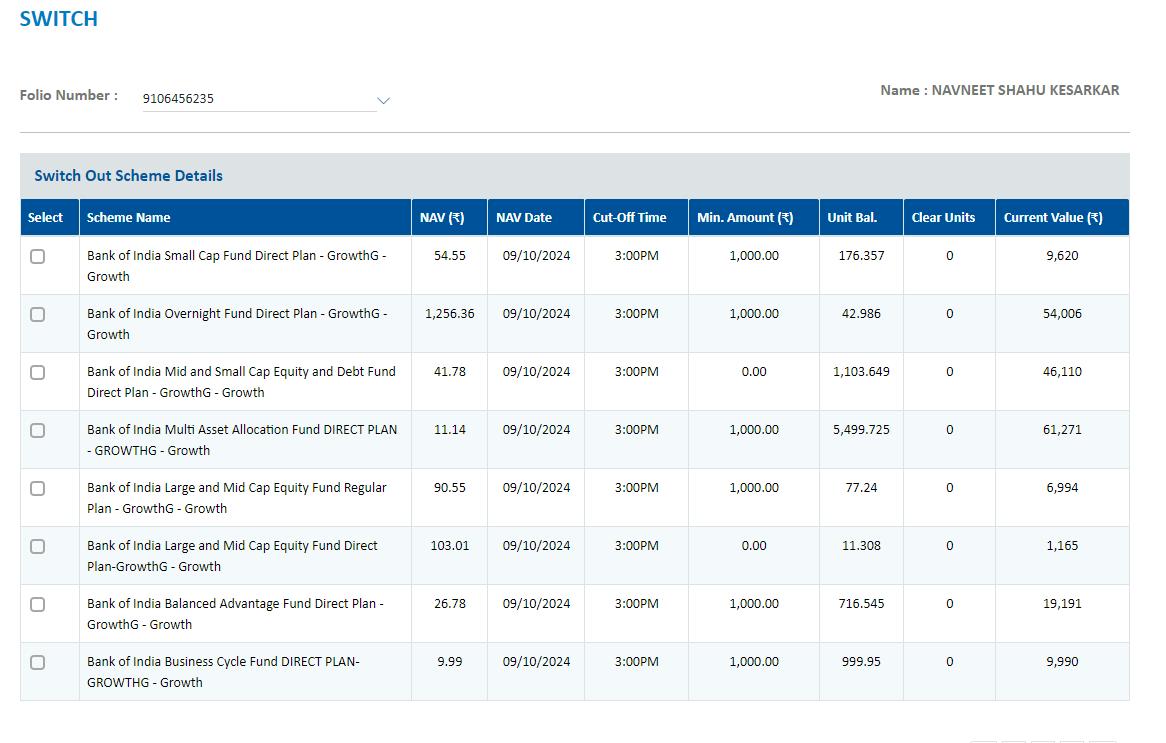
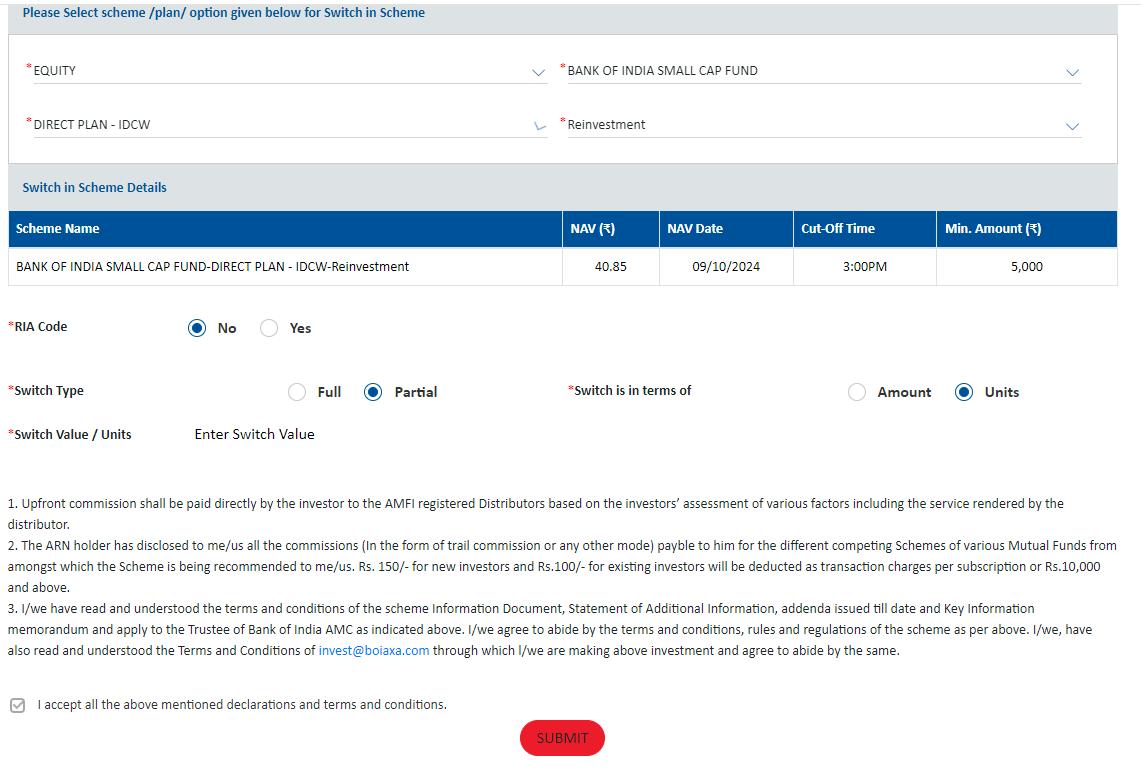
Step 7: Confirm the transaction and click Submit to complete the switch.